 LINKINFO
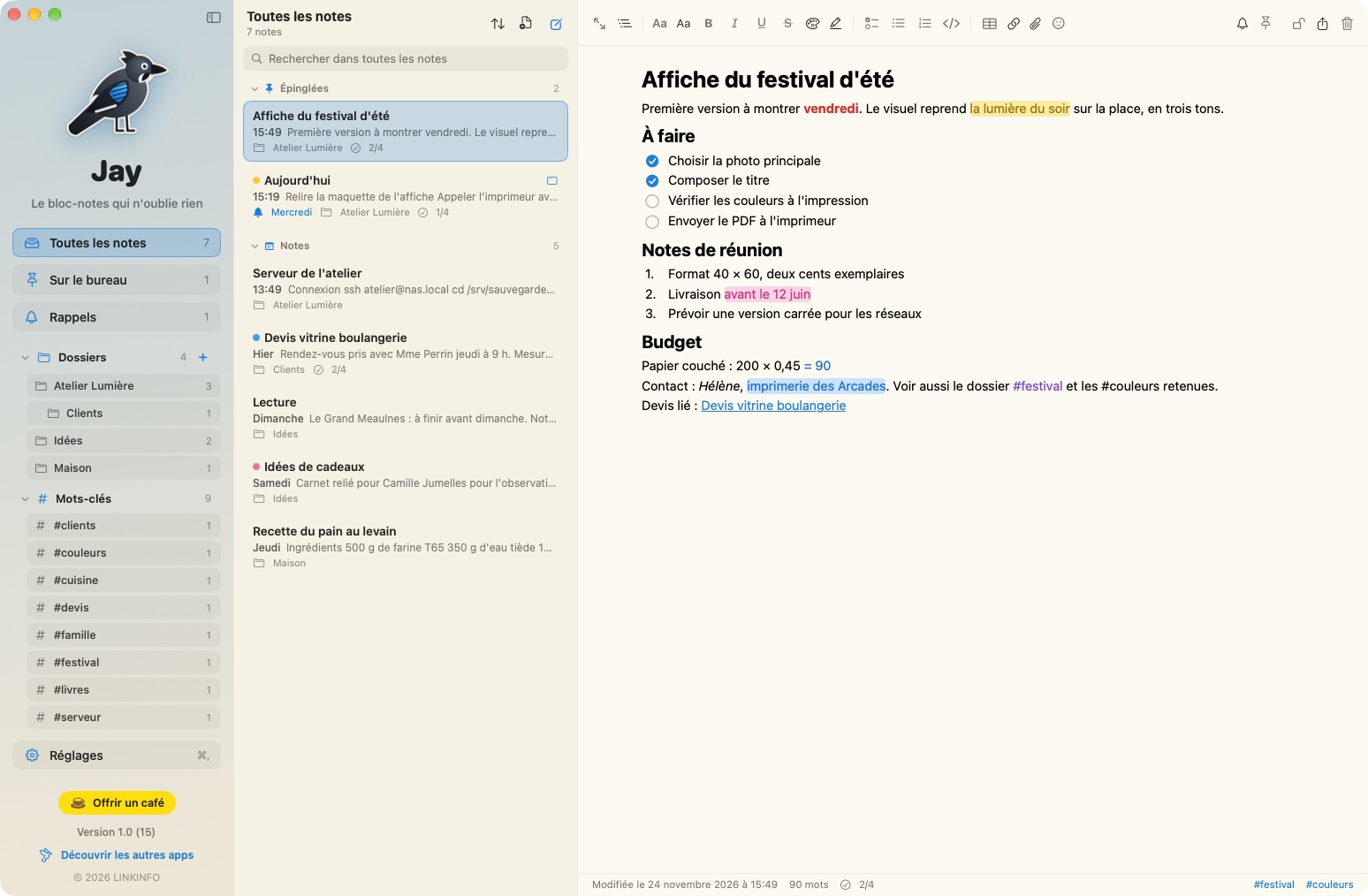
Jay takes what people like about Apple Notes — folders, checklists, tables, images, locked notes, search — and adds what it lacks: a note pinned to the desktop like a sticky reminder, a quick note from any app, tags, version history and Markdown export.
What Jay does
Your notes on the desktop
A pinned note stays visible, in its place, behind your windows.
- Pin to desktop (⌥⌘D): the note becomes a sticky reminder, always editable, back in its place at every startup.
- Three positions: on the desktop behind windows, like a normal window, or always in front.
- Eight paper colors, adjustable opacity, any size; checkboxes can be ticked right on the desktop.
- Quick note with ⌃⌥N from any app, and an icon in the menu bar.
- What you type on the desktop appears instantly in Jay's window, and vice versa.
Everything you need to write
The styles and lists of Notes, with the same shortcuts.
- Title, heading, subheading, body, monospaced; bold, italic, underline, strikethrough, alignment.
- Checklists, bulleted, dashed and numbered lists, with indents; numbers renumber themselves.
- Tables, links, images and attachments dropped into the note.
- Formatting as you type: “-”, “1.”, “[]” or “#” at the start of a line.
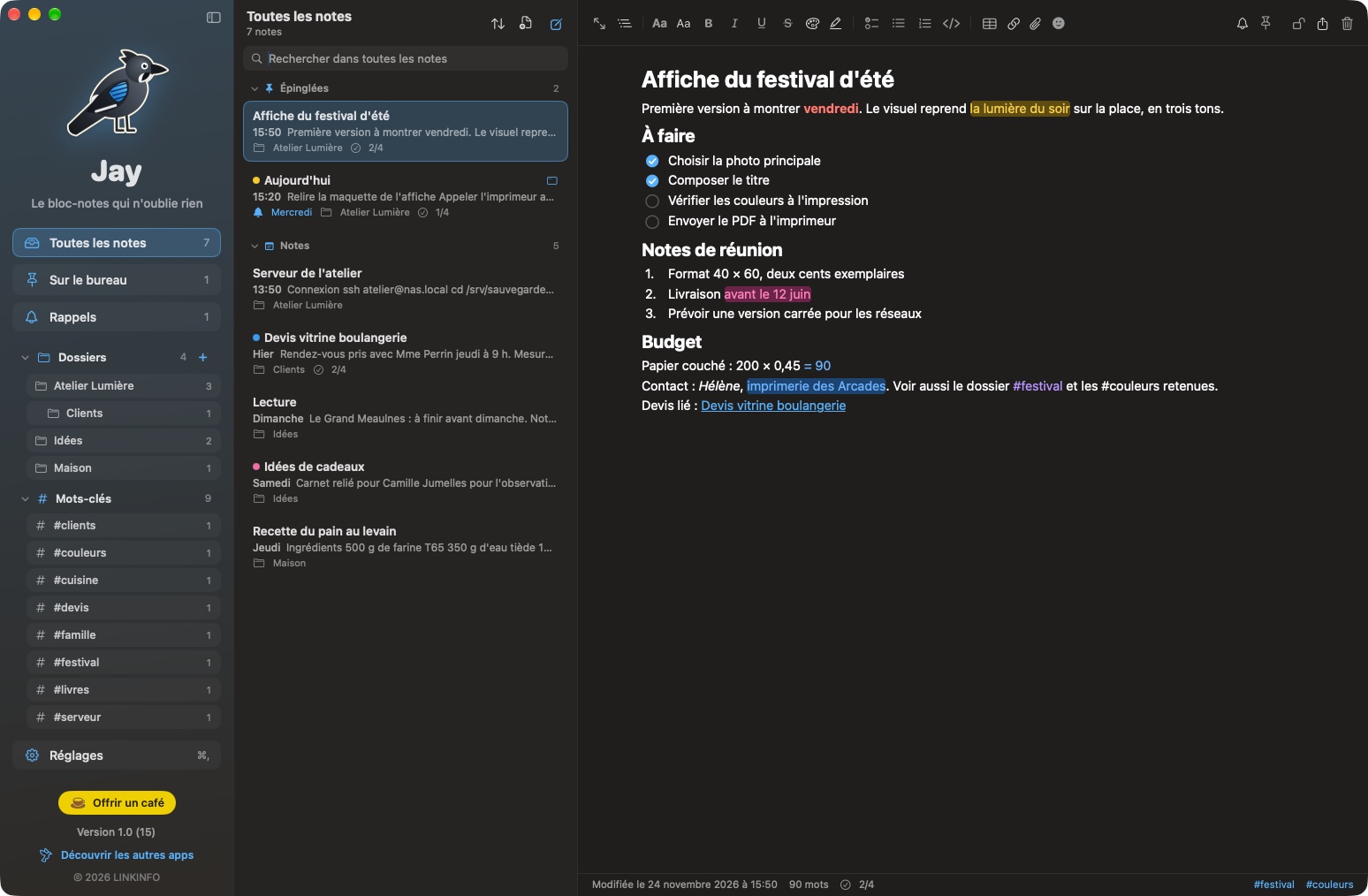
- Focus mode, find in note, spell checking, light or dark mode.
Further than Notes
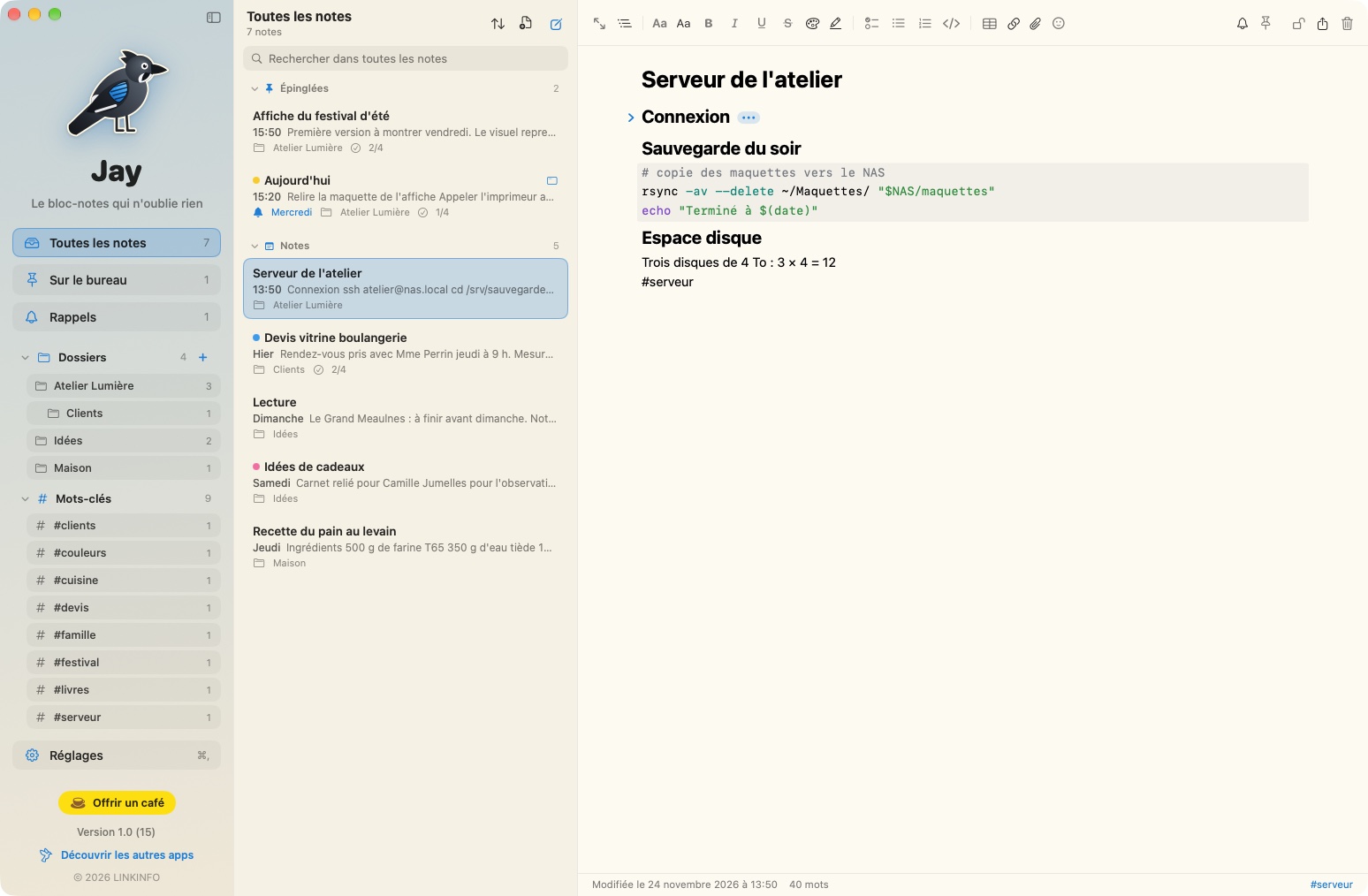
Reminders, links between notes, templates, code and calculations.
- Reminders: give a note a date; when it is due, Jay notifies you and pins it to the desktop.
- Links between notes: type “[[” to link a note; each note shows the ones that mention it.
- Templates: meeting notes, shopping list, daily journal, or your own.
- Foldable sections and an outline for long notes.
- Colored code blocks and calculations as you type: try “12 × 45 =”.
- Search inside attached images and PDFs, read on your Mac; scan from iPhone; send from the Share menu of other apps.
Filed and found
Folders, tags and full-text search.
- Folders and subfolders; drag a note onto a folder to file it.
- Tags: write #project in a note and it shows up in the sidebar.
- Search across all notes, ignoring accents and capitals.
- Notes pinned to the top of the list, sorting by date or title, checkbox counter.
- Recently Deleted: a deleted note can be recovered for 30 days.
Synced and protected
iCloud between your Macs, encryption for sensitive notes.
- iCloud sync between your Macs, through iCloud Drive, with no account to create.
- Locked notes encrypted with AES-256 on disk and in iCloud; Touch ID to open them.
- Version history: go back to a note as it was ten minutes ago or yesterday.
- They close by themselves when the Mac locks or goes to sleep.
Your notes stay yours
Move into and out of Jay without losing anything.
- Import from Apple Notes, with folders and dates, without changing anything in Notes.
- Import text, Markdown, RTF, Word and HTML files.
- Export to PDF, Markdown, RTF, HTML or plain text; “Export Everything” for a full backup.
- Print, share, copy as Markdown (⌥⌘C).
In pictures

A coffee for what's next
Jay is ad-free, and will stay that way. I develop it in my spare time: every coffee helps fund the next versions, fixes and new features, and tells me the app is useful to you.
Installation
- Download the .zip fileIt unzips on its own in the Downloads folder.
- Drag Jay to ApplicationsIn the Finder, into your Mac's Applications folder.
- Open JayThe app is signed and notarized by Apple: it opens without a warning.
Requirements
- No ads and no account.
- Your notes stay with you: on your Mac and in your iCloud Drive, nowhere else.
- Available in French, English and Spanish: the app follows the Mac's language, or the one chosen in its settings.
- macOS 14 Sonoma or later, on a Mac with Apple silicon or Intel.
- Automatic updates from within the app.


